
Forum rules
Oekaki posts must follow our Rules for the Site and Forum,
including the Oekaki Rules and Art Rules.
Having trouble using oekaki? Check out the Oekaki Guide or send in a help ticket.
Oekaki posts must follow our Rules for the Site and Forum,
including the Oekaki Rules and Art Rules.
Having trouble using oekaki? Check out the Oekaki Guide or send in a help ticket.
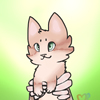
Filling out a art order by Kittehhcat

| Artist | Kittehhcat [gallery] |
| Time spent | 4 minutes |
| Drawing sessions | 1 |
| One person likes this | Log in to vote for this drawing |
3 posts
• Page 1 of 1
-
Kittehhcat - Posts: 18939
- Joined: Thu May 01, 2014 9:28 am
- My pets
- My items
- My wishlist
- My gallery
- My scenes
- My dressups
- Trade with me
Re: Filling out a art order
 by The Lost soul » Fri Oct 09, 2015 7:57 am

In the URL, you see a part where it's says: auto&rev
Change the 'auto' part to 'png' and it'll be transparent.
http://www.chickensmoothie.com/oekaki/i ... 1444333971
http://www.chickensmoothie.com/oekaki/i ... 1444333971
Compare the two's urls and you'll see where I changed it. I hope that explains it properly.


-

The Lost soul - Posts: 8076
- Joined: Wed Feb 01, 2012 9:19 am
- My pets
- My items
- My wishlist
- My gallery
- My scenes
- My dressups
- Trade with me
Re: Filling out a art order
by Kittehhcat » Fri Oct 09, 2015 8:07 am
The Lost soul wrote:
In the URL, you see a part where it's says: auto&rev
Change the 'auto' part to 'png' and it'll be transparent.
http://www.chickensmoothie.com/oekaki/i ... 1444333971
http://www.chickensmoothie.com/oekaki/i ... 1444333971
Compare the two's urls and you'll see where I changed it. I hope that explains it properly.
Thank you! <3


-
Kittehhcat - Posts: 18939
- Joined: Thu May 01, 2014 9:28 am
- My pets
- My items
- My wishlist
- My gallery
- My scenes
- My dressups
- Trade with me
3 posts
• Page 1 of 1
Who is online
Users browsing this forum: No registered users and 3 guests