
Forum rules
Oekaki posts must follow our Rules for the Site and Forum,
including the Oekaki Rules and Art Rules.
Having trouble using oekaki? Check out the Oekaki Guide or send in a help ticket.
Oekaki posts must follow our Rules for the Site and Forum,
including the Oekaki Rules and Art Rules.
Having trouble using oekaki? Check out the Oekaki Guide or send in a help ticket.
Reaper Cats {Line-Art} by Sadies

| Artist | Sadies [gallery] |
| Time spent | 3 hours, 46 minutes |
| Drawing sessions | 8 |
| 17 people like this | Log in to vote for this drawing |
Versions of this drawing that people have created recently


33 posts
• Page 1 of 4 • 1, 2, 3, 4
Reaper Cats {Line-Art}
 by Sadies » Sat May 30, 2015 3:35 am
Welcome To
Reaper Cats
Line-Art Replacement
Reaper Cats were originally my adoptables however I am closing them down so I drew everyone some line-arts instead.
Enjoy :)
Rules Of Use;
You DO NOT have permission to colour UNLESS you read and follow my rules!
... CS rules apply.
... NEVER remove or cover up my signature or the Reaper Cat's mark from the image.
... Credit me: This means you MUST leave a link back to this page. (Either by linking the image back or by providing a link next to the image. If you make an adoptables store then it's fine to link back to your adoptabales store instead but please ensure that there is a visible link back here some-where on that thread.)
... You MAY NOT EVER use these lines as a form of profit; be that CS pets C$, DApoints, real money, any other game currencies/pets ect.
... You may make FREE adoptables/adoptable shops for other people. (If you make an off-site adoptable store or giveaway, then I would like a link please.)
... You may take your art off-site. (I don't need a link for this; only if it's an adoptables giveaway thread.)
... You may make small line edits and add items to these lines but please make sure you keep it as a Reaper Cat and not make it some weird other species. (I don't mind different weapons.)
... Enjoy :)
If you don't have Oekaki...
v Adult v

v Kitten v

___________________________
____________________
_____________
________
___
Hints and Tips
*LOCK ALPHA*
Layers that have *LOCK ALPHA* next to them basically mean that if you 'Lock Alpha' it will let you colour the layer without going over the lines.
Removing Background (Transparent Backgrounds)
In oekaki, you can remove the background of the image really simply.
First ensure that there is no background on your image. You should see a white/grey square pattern behind your image. This means you have no background. Then save and post the image.
You need to take the direct image code and change the section that says 'format=auto' in the url to 'format=png'. When you post it within image tags you will have a transparent background.
Resizing Images
Before you can do this, you need to save and post your image. You will then need to copy the direct image link and place it within some IMG tags. (As you do all images)
There are 4 sizes for Oekaki images; small, gallery, medium and large. (<In order of size)
To change the size of the image you need to change the 'size=large' part of the link to one of the above. For example 'size=medium'. It will resize it to your chosen size.
Drawing New Accessories + Making Line Edits
If you wish to make edits/add accessories ect then some-times it makes it easier to know what tools I used;
I used the Pen tool set on 'Round Hard Edge', Opacity; 100%, Blend + Spacing + Scattering at 0 and smoothing can be at whatever your preference is. I used size 1 for drawing the line and then size 2 pen for going around the edges.
Reaper Cats
Line-Art Replacement
Reaper Cats were originally my adoptables however I am closing them down so I drew everyone some line-arts instead.
Enjoy :)
Rules Of Use;
You DO NOT have permission to colour UNLESS you read and follow my rules!
... CS rules apply.
... NEVER remove or cover up my signature or the Reaper Cat's mark from the image.
... Credit me: This means you MUST leave a link back to this page. (Either by linking the image back or by providing a link next to the image. If you make an adoptables store then it's fine to link back to your adoptabales store instead but please ensure that there is a visible link back here some-where on that thread.)
... You MAY NOT EVER use these lines as a form of profit; be that CS pets C$, DApoints, real money, any other game currencies/pets ect.
... You may make FREE adoptables/adoptable shops for other people. (If you make an off-site adoptable store or giveaway, then I would like a link please.)
... You may take your art off-site. (I don't need a link for this; only if it's an adoptables giveaway thread.)
... You may make small line edits and add items to these lines but please make sure you keep it as a Reaper Cat and not make it some weird other species. (I don't mind different weapons.)
... Enjoy :)
If you don't have Oekaki...
v Adult v

v Kitten v

___________________________
____________________
_____________
________
___
Hints and Tips
*LOCK ALPHA*
Layers that have *LOCK ALPHA* next to them basically mean that if you 'Lock Alpha' it will let you colour the layer without going over the lines.
Removing Background (Transparent Backgrounds)
In oekaki, you can remove the background of the image really simply.
First ensure that there is no background on your image. You should see a white/grey square pattern behind your image. This means you have no background. Then save and post the image.
You need to take the direct image code and change the section that says 'format=auto' in the url to 'format=png'. When you post it within image tags you will have a transparent background.
Resizing Images
Before you can do this, you need to save and post your image. You will then need to copy the direct image link and place it within some IMG tags. (As you do all images)
There are 4 sizes for Oekaki images; small, gallery, medium and large. (<In order of size)
To change the size of the image you need to change the 'size=large' part of the link to one of the above. For example 'size=medium'. It will resize it to your chosen size.
Drawing New Accessories + Making Line Edits
If you wish to make edits/add accessories ect then some-times it makes it easier to know what tools I used;
I used the Pen tool set on 'Round Hard Edge', Opacity; 100%, Blend + Spacing + Scattering at 0 and smoothing can be at whatever your preference is. I used size 1 for drawing the line and then size 2 pen for going around the edges.
Last edited by Sadies on Sat May 30, 2015 10:09 am, edited 2 times in total.
Sorry for my slow response time on RP's. My new job steals ALL my time. :(
xxxxx





-

Sadies - Posts: 38508
- Joined: Sun Jul 31, 2011 2:39 am
- My pets
- My items
- My wishlist
- My gallery
- My scenes
- My dressups
- Trade with me
Re: Reaper Cats {Line-Art}
by SoftKittyBby » Sat May 30, 2015 3:37 am
Will definitley be making one when java decides to work XD

XXXXXXXXXXXXXXXXXXXXXXXXXXXXXXXXXXXXXXXXXXXX
Ash, Adult, He/They
Halloween fanatic. Stay spooky
click images for credits ♠
Ash, Adult, He/They
Halloween fanatic. Stay spooky
click images for credits ♠


-

SoftKittyBby - Posts: 12363
- Joined: Fri Dec 09, 2011 10:46 am
- My pets
- My items
- My wishlist
- My gallery
- My scenes
- My dressups
- Trade with me
Re: Reaper Cats {Line-Art}
by Lillybear » Sat May 30, 2015 3:40 am
Mark! <3 Thanks for doing this.
lilly • she/her
mostly gone from cs,
but feel free to message
me on discord (lilly.bear)
about anything!
mostly gone from cs,
but feel free to message
me on discord (lilly.bear)
about anything!
-
Lillybear - Posts: 5653
- Joined: Sat Dec 07, 2013 12:29 pm
- My pets
- My items
- My wishlist
- My gallery
- My scenes
- My dressups
- Trade with me
Re: Reaper Cats {Line-Art}
by GressgrinAST » Sat May 30, 2015 3:46 am
Thanks for these.


-

GressgrinAST - Posts: 3859
- Joined: Sat Dec 06, 2014 7:59 pm
- My pets
- My items
- My wishlist
- My gallery
- My scenes
- My dressups
- Trade with me
Re: Reaper Cats {Line-Art}
by Cherryfreeze » Sat May 30, 2015 4:35 am
mark~
If you Steal my ocs, or think its fun and quirky to steal them, I'll come steal you kneecaps as payment thanks <3
-

Cherryfreeze - Posts: 32110
- Joined: Thu Aug 22, 2013 9:12 am
- My pets
- My items
- My wishlist
- My gallery
- My scenes
- My dressups
- Trade with me
Re: Reaper Cats {Line-Art}
by FyreFlyght » Sat May 30, 2015 5:06 am
These are amazing, thanks for this, Sadies!














-

FyreFlyght - Posts: 749
- Joined: Thu Jan 23, 2014 7:40 am
- My pets
- My items
- My wishlist
- My gallery
- My scenes
- My dressups
- Trade with me
Re: Reaper Cats {Line-Art}
by Rapter » Sat May 30, 2015 10:08 am
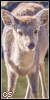
As you know, I don't have oakiti, I am asking permission to use lines in ex?
.jpg)
.jpg)
.png)
.jpg)
.jpg)
.jpg)

.jpg)
.jpg)

.jpg)

-

Rapter - Posts: 1150
- Joined: Sun May 24, 2015 1:35 am
- My pets
- My items
- My wishlist
- My gallery
- My scenes
- My dressups
- Trade with me
Re: Reaper Cats {Line-Art}
by Sadies » Sat May 30, 2015 10:09 am
Yep, it's fine. C: The lines are there to be used. :3
Sorry for my slow response time on RP's. My new job steals ALL my time. :(
xxxxx
-
Sadies - Posts: 38508
- Joined: Sun Jul 31, 2011 2:39 am
- My pets
- My items
- My wishlist
- My gallery
- My scenes
- My dressups
- Trade with me
Re: Reaper Cats {Line-Art}
by Streak » Sat May 30, 2015 10:22 am
thank you for these <3 I'll make some
𝒸𝒶𝓉𝒸𝒽 𝓂𝑒 𝑜𝓃
𝒶 𝓏𝑒𝓃𝒾𝓉𝒽
streak
she/her
bisexual
beechclan
buttermilks
my kals
minigames
avatar by
art by foxe on fr
♡
-
Streak - Posts: 3328
- Joined: Sun Nov 30, 2014 10:47 am
- My pets
- My items
- My wishlist
- My gallery
- My scenes
- My dressups
- Trade with me
Re: Reaper Cats {Line-Art}
by Starlovex » Sat May 30, 2015 12:28 pm

I made Zane c:

Thank you for these, sadies!
-

Starlovex - Posts: 7173
- Joined: Mon Jul 08, 2013 6:42 pm
- My pets
- My items
- My wishlist
- My gallery
- My scenes
- My dressups
- Trade with me
33 posts
• Page 1 of 4 • 1, 2, 3, 4
Who is online
Users browsing this forum: No registered users and 3 guests