
Forum rules
Oekaki posts must follow our Rules for the Site and Forum,
including the Oekaki Rules and Art Rules.
Having trouble using oekaki? Check out the Oekaki Guide or send in a help ticket.
Oekaki posts must follow our Rules for the Site and Forum,
including the Oekaki Rules and Art Rules.
Having trouble using oekaki? Check out the Oekaki Guide or send in a help ticket.
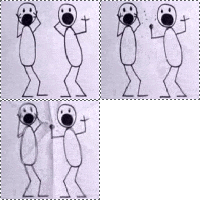
I.Am.So.Confused. by ~Static~

| Artist | ~Static~ [gallery] |
| Time spent | 5 minutes |
| Drawing sessions | 1 |
| Log in to vote for this drawing | |
4 posts
• Page 1 of 1
I.Am.So.Confused.
 by ~Static~ » Tue Sep 24, 2013 11:58 am
Can someone please help me understand layers?.....


-

~Static~ - Posts: 7934
- Joined: Mon Jan 21, 2013 8:42 am
- My pets
- My items
- My wishlist
- My gallery
- My scenes
- My dressups
- Trade with me
Re: I.Am.So.Confused.
by Marballo » Tue Sep 24, 2013 12:16 pm
Oh, sure. First of all, the plus button is to add a layer, the minus button is to remove the layer you're on. You can choose which layer you're on by clicking the boxes. The boxes on top will have the layers on top, meaning the bottom layers will be under them. The very first layer, (or the one already there) will be the background. You can also move the layers by clicking and dragging the boxes, or rename them by double clicking the title of the box. (Layer 1, Layer 2, etc.) Does that make sense? Sorry, I'm bad at explaining things. I hope this helps a little.



-

Marballo - Posts: 4093
- Joined: Sun Dec 16, 2012 8:46 am
- My pets
- My items
- My wishlist
- My gallery
- My scenes
- My dressups
- Trade with me
Re: I.Am.So.Confused.
by ~Static~ » Wed Sep 25, 2013 7:50 am
I should have explained more... I know that part, but... I don't know if there is a way to color in the lines without changing them...
-
~Static~ - Posts: 7934
- Joined: Mon Jan 21, 2013 8:42 am
- My pets
- My items
- My wishlist
- My gallery
- My scenes
- My dressups
- Trade with me
Re: I.Am.So.Confused.
by Craynie » Wed Sep 25, 2013 7:52 am
~Static~ wrote:I should have explained more... I know that part, but... I don't know if there is a way to color in the lines without changing them...
what do you mean , if you want to color a lines in that layer click on the layer. once you didi that above the layers you should see somthing that says lock alpha. click on that and then color.
-

Craynie - Posts: 10963
- Joined: Mon Oct 03, 2011 6:13 pm
- My pets
- My items
- My wishlist
- My gallery
- My scenes
- My dressups
- Trade with me
4 posts
• Page 1 of 1
Who is online
Users browsing this forum: No registered users and 3 guests