
Forum rules
Oekaki posts must follow our Rules for the Site and Forum,
including the Oekaki Rules and Art Rules.
Having trouble using oekaki? Check out the Oekaki Guide or send in a help ticket.
Oekaki posts must follow our Rules for the Site and Forum,
including the Oekaki Rules and Art Rules.
Having trouble using oekaki? Check out the Oekaki Guide or send in a help ticket.
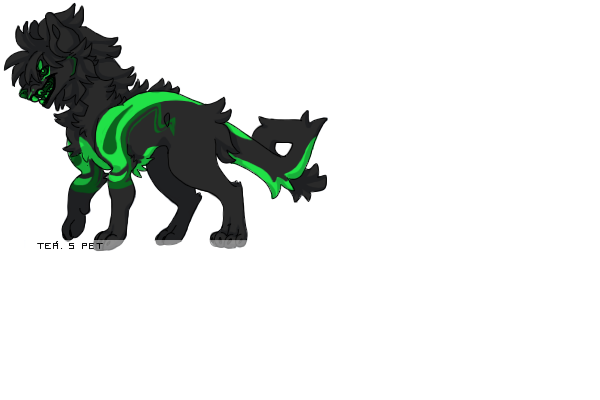
tigers :D by Tea...

| Based on | Click to view |
| Artist | Tea... [gallery] |
| Time spent | 16 minutes |
| Drawing sessions | 1 |
| One person likes this | Log in to vote for this drawing |
1 post
• Page 1 of 1
tigers :D
 by Tea... » Thu Oct 31, 2013 5:32 am
hi i out this up its a golden tiger they are rare you now  and white tiger hop you like it enjoy
Ok, so when you are looking at a the picture from the forum page, right click on the image. You should get the option to "copy image address." Do that, and then you should get something that looks like this when you paste it into a post:
http://www.chickensmoothie.com/oekaki/i ... 1515955571
the one above is the image address for the picture of kai. To make it transparent, you have to first make sure the bg in the actual drawing is transparent- which it already is because I made it that way while drawing it by clicking the bubble next to the background layer.
Now, look at the red part of the address:
http://www.chickensmoothie.com/oekaki/i ... ize=large&format=auto&rev=1515955571
Change the "auto" part to the word "png"
Now the address should look like this:
http://www.chickensmoothie.com/oekaki/i ... ize=large&format=png&rev=1515955571
After that, put image brackets around the address.
[img]http://www.chickensmoothie.com/oekaki/image/image.php?id=3034567&size=large&format=png&rev=1515955571[/img]
when it's all done, the image should look like this:

without doing these steps, the image looks like this:

lol, it doesn't look different because the background of the text box is white, but if you drag the image off to the side, you can see one has a background and one doesn't.
and white tiger hop you like it enjoyOk, so when you are looking at a the picture from the forum page, right click on the image. You should get the option to "copy image address." Do that, and then you should get something that looks like this when you paste it into a post:
http://www.chickensmoothie.com/oekaki/i ... 1515955571
the one above is the image address for the picture of kai. To make it transparent, you have to first make sure the bg in the actual drawing is transparent- which it already is because I made it that way while drawing it by clicking the bubble next to the background layer.
Now, look at the red part of the address:
http://www.chickensmoothie.com/oekaki/i ... ize=large&format=auto&rev=1515955571
Change the "auto" part to the word "png"
Now the address should look like this:
http://www.chickensmoothie.com/oekaki/i ... ize=large&format=png&rev=1515955571
After that, put image brackets around the address.
[img]http://www.chickensmoothie.com/oekaki/image/image.php?id=3034567&size=large&format=png&rev=1515955571[/img]
when it's all done, the image should look like this:

without doing these steps, the image looks like this:

lol, it doesn't look different because the background of the text box is white, but if you drag the image off to the side, you can see one has a background and one doesn't.
 I am doing commissions! Very slowly please be patient with me.
Please don't message me on cs unless you don't have a discord! Please message me on discord here at Tea.#1054
Teá. + 342434. ✞ He/Him. Single. adult. I love anime, crime dramas, romance, art, psychology, history, walks, sleeping, my bed, warm days, DnD+Exalted, cosplay. Please talk to me on Discord about your interests!!!

-

Tea... - Posts: 7041
- Joined: Fri Jun 15, 2012 7:19 am
- My pets
- My items
- My wishlist
- My gallery
- My scenes
- My dressups
- Trade with me
1 post
• Page 1 of 1
Who is online
Users browsing this forum: No registered users and 1 guest